Skip to content
The complete pre-production platform

From script to shot list, before you shoot.

VisionFrame turns your screenplay into cinematic shot lists with consistent characters — then lets you plan everything on an infinite production board.

No credit card required · 15 free credits

VISIONFRAME · CRIME AND PUNISHMENT
YOUR SCRIPT
Scene 1 · EXT. HAYMARKET SQUARE — DAY
Scene 2 · INT. GARRET ROOM — NIGHT
Character detected: Raskolnikov
Parsing scriptAutomated
GENERATED SHOTS
with camera metadata
Shot 1
EXT. HAYMARKET SQUARE — DAY
Wide · 24mmStatic
Shot 2
EXT. ST. PETERSBURG STREET
Medium · 50mmTracking
Shot 3
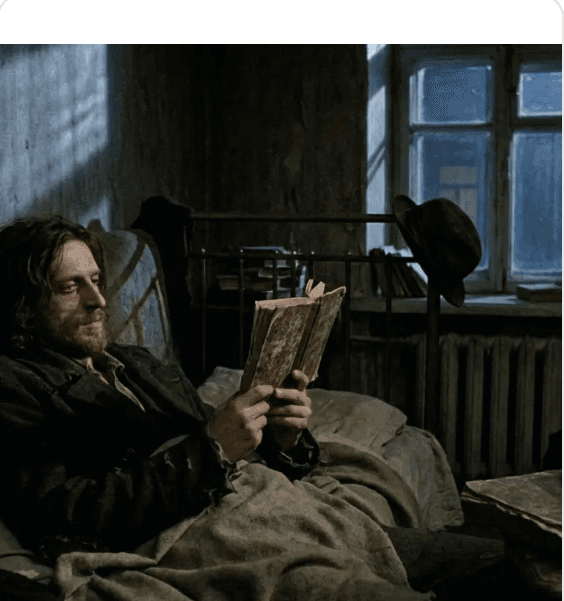
INT. GARRET ROOM — NIGHT
Close-up · 85mmPush-in
Character traits automatically included in every prompt
ImagesSticky notesHeadingsDocumentsLinks with previewsTo-do listsShots from projectsLines & arrowsNested boardsText boxes
TWO POWERFUL TOOLS · ONE PLATFORM

Everything you need to visualize your film

AI Shot Lists

Script → scenes → cinematic shots

Shot 1
EXT. HAYMARKET SQUARE — DAY
Medium shotSlow push-in35mm
Raskolnikov moves through the bustling square, hollow-eyed, the crowd parting around him like water.
Cinematography notes
Parse any script into scenes automatically
Shot type, camera angle & movement metadata
Export professional PDF storyboards

Production Boards

An infinite canvas for your ideas

Shoot at golden hour — warm practicals only
Ask about the market location permit
SCENE 2 · SHOT 4
55% · Saved
Images, notes, links, documents & to-dos
Import shots straight from your projects
Nested boards, lines & arrows to connect ideas
Unique feature

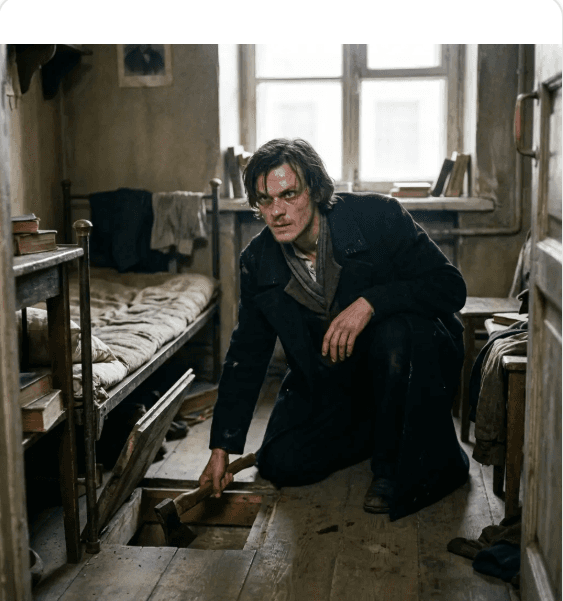
The same face in every single shot

Define your characters once — skin tone, hair, clothing, distinguishing features — and they appear consistently across every generated frame.

Auto-detect characters in scene descriptions
Use any generated shot as a visual reference
Traits automatically included in AI prompts
Try it free
Rodion Raskolnikov
Reference locked · 3 shots matched
Consistent
HOW IT WORKS

Script to storyboard in four steps

STEP 1

Upload script

Paste your script or upload a file — any format works.

STEP 2

Automated parsing

Scenes, characters and locations organized automatically.

STEP 3

Generate shots

Cinematic frames with full camera metadata for each shot.

STEP 4

Export

Professional PDF storyboards, ready for the crew.

Pick the right AI for every frame

Switch models per shot — no lock-in.

OpenAI DALL·E 3 · photoreal + textGoogle Gemini · character references

Ready to visualize your story?

Join creators saving hours of pre-production with the complete visual planning platform.

Start Creating for Free

No credit card required · 15 free credits